Elevate Local

Web Application Development in Lincoln: Do You Need an App or a Website?

We turn local searches into loyal customers.

  • Customers value my clear communication
  • Ability to get the job done
  • Effort to under-promise and over-deliver
  • Develop a growth plan
Web developer building a web app
Lincoln

App or website

Website or Web Application: How to Tell Which One You Need

A website shows people information. A web application lets people do work inside it, like logging in, entering data, or getting a custom result. If your visitors only need to learn about you and reach you, a website is the smarter buy. That's the first question to answer before starting any Web Application Development project in Lincoln.
Close-up of hands typing

Here's the simplest test we know. Ask what people need to do when they show up. If they read, look at photos, and then call or fill out a form, that's a website. If they log in, save something, change it later, or get an answer built just for them, that's a web application.

The line isn't about looks or size. A 40-page site can still just be a website. A single screen where a customer types in measurements and gets an instant quote is a small web app. What matters is whether the thing has to remember people and their data.

You're probably looking at a web application if any of these sound like your week:

  • Your staff types the same customer info into two or three places.
  • A shared spreadsheet runs the business, and someone breaks it about once a month.
  • Customers call to ask for status updates they could check themselves if they had a login.
  • You build quotes or estimates by hand, and they follow the same rules every time.
  • You've paid for off-the-shelf software but spend more time working around it than using it.

Each of those is a problem a web app can fix, because the app holds the data in one place and follows your rules for you. That's where the return shows up: fewer hours lost to retyping, fewer mistakes, and fewer phone calls about things a customer could look up.

Now the honest part. Plenty of businesses don't need a web application, and we'd rather tell you that up front. If your main goal is getting found on Google and turning visitors into calls, a custom app won't help. It costs more to build, it needs upkeep, and it does nothing for how you show up in local search. In that case, our Website Development or WordPress Development service is the better fit, and it'll get you there faster.

It also makes sense to wait if you can't yet describe the steps your team follows. An app locks in a process. If that process changes every few weeks, nail it down on paper first, even in a spreadsheet, and build once it holds steady.

Some businesses need both. A good example is a clinic or service shop with a public site that brings in new customers, plus a customer portal behind a login. Those can be planned together so the site and the app share the same look and the same data, rather than being bolted on later.

Whichever way you go, make sure you'll own the finished code, the domain, and your customer data. If the person who builds it holds all of that, you don't really own your tool. You're renting it.


Signs a Standard Website Will Not Solve the Problem

A lot of business owners try to stretch a website before they ever think about an app. You add a form plugin, then a booking widget, then a members-only page. Sometimes that works fine. But a website has a ceiling, and these are the signs you've hit it.

Different people need to see different things

A website mostly shows everyone the same pages. A membership plugin can lock a page behind a password, but that's about it. If you need a customer to see only their own orders, a staff member to see only today's jobs, and you to see everything, that's a web application. Websites aren't built to sort people into roles and show each one a different view of the same data.

Your rules have more than one or two steps

A form can ask questions and email you the answers. It can't easily say, "If the job is over a certain size and the customer is new, send it to the owner for approval, then email a quote, then remind them in three days." Once your process has branches, approvals, and deadlines, you need software that runs the logic for you.

Your records change over time

A website form captures one moment. It sends an email, and that's it. If a job or request moves through stages, like received, scheduled, in progress, done, and you need to know who changed what and when, you need a system that keeps a history. Searching your inbox for old form emails isn't a system.

Your data has to talk to your other tools

Some websites can push a form into another program. Very few can pull information back in, update it, and keep both sides matched. If you want your scheduling, billing, and customer records to stay in sync without someone copying them over, that's app work.

You're storing sensitive information

A marketing website is built to be seen. If you're collecting personal details, account info, or anything private, you need logins, access controls, and careful handling of where that data lives. Bolting that onto a site made for brochures is risky.

Your plugins are fighting each other

When an update to one add-on breaks another, and your site slows down every time you add a feature, that's a sign you're asking a website to do an app's job.

One fair check before you build anything custom: look for an existing tool that already does most of what you need. If a ready-made booking or scheduling service covers your process with only small gaps, use it and link it from your site. Custom software is worth it when the gaps are the parts that cost you the most time or money, not when a good off-the-shelf tool already fits.

If two or more of these signs sound familiar, a better plugin probably won't fix it. You've likely outgrown what a standard website can do.

When a Website or Off-the-Shelf Software Is the Better Choice

Here's the plain answer. If a job works the same way at your business as it does at thousands of others, someone already sells software for it. Paying for that tool is almost always faster and cheaper than building your own. Custom code earns its keep on the parts of your business that are different, not the parts that match everyone else's.

These jobs are nearly the same everywhere, and ready-made tools handle them well:

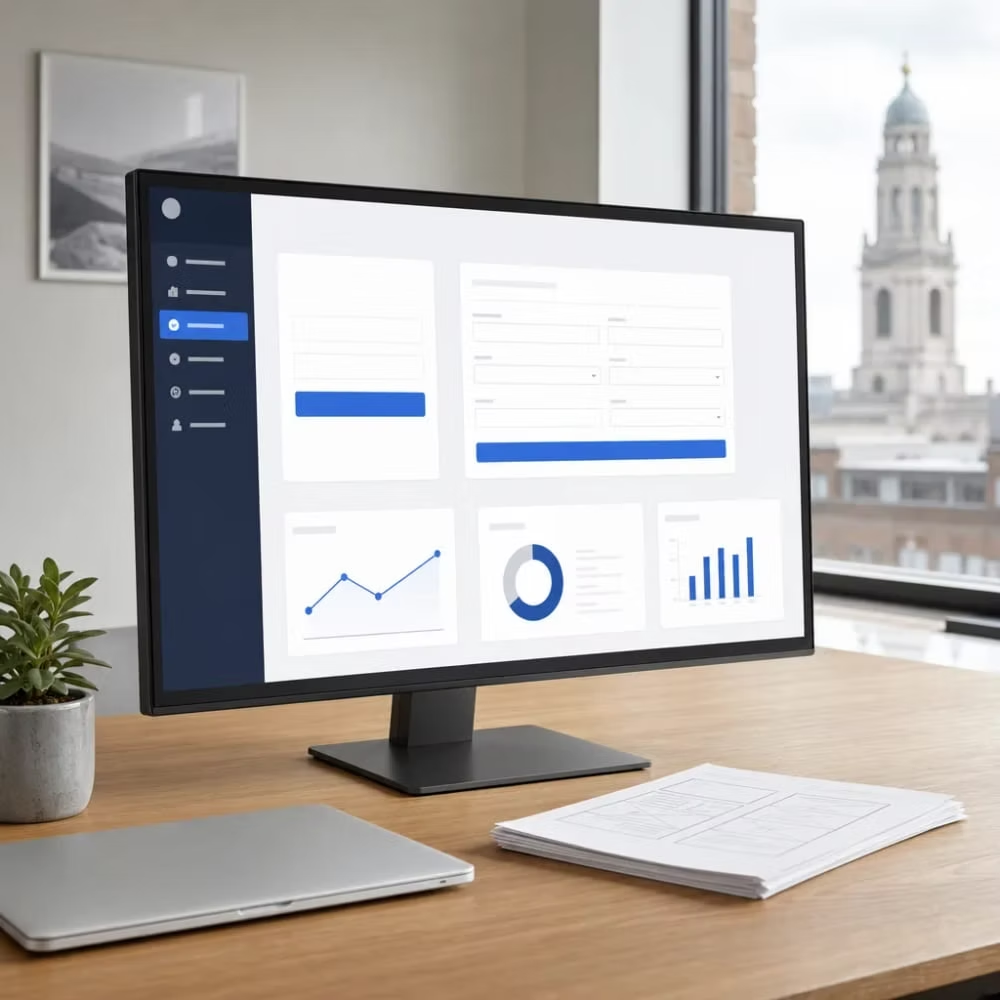
Completed web app
  • Accounting, invoicing, payroll, and taxes. Tax rules change, and the vendor updates the software so you don't have to.
  • Email newsletters and basic marketing emails.
  • Simple appointment booking for one location with standard time slots.
  • Team chat, file sharing, and e-signatures.
  • A basic contact list for tracking leads and follow-ups.

If you build any of these from scratch, you own the upkeep forever. You're on the hook for security fixes, browser changes, and every rule update. That's a lot of cost for something you could rent for a monthly fee.

It helps to see how the two cost models differ. Off-the-shelf software usually charges a monthly fee, often per user. A custom app costs more up front to build. After that, you still pay for hosting, updates, and fixes each year. To compare them fairly, add up the subscription over three to five years and set that next to the build cost plus upkeep. For a small team with a standard process, the subscription usually wins. Custom starts to make sense when per-user fees climb as you hire, or when the hours your staff loses to workarounds cost more than the software does.

Before you rule a tool in or out, give it a real test:

  • Write down your process step by step before you start a free trial, so you're judging the tool against your work, not its sales demo.
  • Run a real week of jobs through it, not just sample data.
  • Check that you can export all your data in a common format like a spreadsheet file. If you can't get your records out, you don't fully own them.
  • Ask what the price does when you add users or locations.
  • Keep a list of every workaround. If the workarounds only touch small tasks, keep the tool.

There's also a middle step. For a small internal task, an online form that feeds a shared spreadsheet, or a low-code tool built for simple workflows, can cover you for a while. It's a cheap way to prove an idea works before you put real money into it. If your team stops using it, you've learned something without paying for a build.

We'd rather you spend your budget on the right thing than on the biggest thing. If a ready-made tool handles your everyday work and the gaps are minor, stick with it. Custom software is worth a second look only when those gaps start costing you real hours or real customers.

Have questions? We're happy to help.

Schedule My Free Audit. Elevate Local is ready to help.

How a Web Application Project Moves from Idea to Launch

Most web app projects that go wrong don't fail in the code. They fail because nobody wrote down what the app was supposed to do before the building started. A good project moves through clear stages, and each one gives you a chance to catch a mistake while it's still cheap to fix.

  1. 1

    Step 1: Map the work you already do

    This is where the paper version of your process pays off. You and the developer list who will use the app, what each person needs to see, the steps a job goes through, and the rules you follow every time. The result should be a plain written document you can read and argue with. If you can't follow it, it isn't ready.

  2. 2

    Step 2: Cut it down to a first version

    Your wish list will be long. The first build shouldn't be. Pick the one or two problems that cost you the most hours or the most mistakes, and solve those first. Many teams call this a minimum viable product. It gets a working tool into your hands sooner, and real use will tell you which extra features matter and which ones just sounded nice.

  3. 3

    Step 3: Click through it before it's built

    Screen layouts and a simple clickable mockup let you walk through the app like a user would, without a single line of real code. Moving a button or adding a field at this stage takes minutes. After the build, it can take days. This is where UI/UX Design Services do their job.

  4. 4

    Step 4: Build in short rounds

    Instead of disappearing for months, the work should come in small pieces you can see and test as you go. Each round should end with something working that you can try. If you only see the app at the very end, you won't learn it missed the mark until it's too late to change course cheaply.

  5. 5

    Step 5: Test with real people and real data

    Sample data hides problems. Your actual customer list, with its typos, duplicates, and odd cases, shows them. This is also when old records get moved over from spreadsheets or your current software, and that move often takes more care than people expect.

  6. 6

    Step 6: Launch small, then widen

    A safe launch often starts with a few staff members or a handful of customers. Keeping the old way running for a short time gives you a fallback while everyone adjusts.

  7. 7

    Step 7: Plan for life after launch

    An app isn't finished the day it goes live. It needs hosting, backups, security updates, and small fixes as browsers and connected tools change. Before the final payment, make sure you get the handoff items that make ownership real:

    • Access to the full source code, stored in an account you control
    • The hosting and domain accounts in your business's name
    • Admin logins for every service the app depends on
    • Written notes explaining how the app is set up, so another developer could pick it up

Any developer you talk to should be able to explain how they handle each of these stages in plain words. If the answer to "What will I see, and when?" is vague, treat that as your warning sign.

Watch Our Video

See How We Handle Web Application Development in Lincoln

Elevate Local - Serving Lincoln and surrounding areas

What Drives Web Application Costs Up or Down

Two web apps can look alike on screen and cost very different amounts to build. The price comes from what the app has to handle behind the screen: how many people use it, how many rules it follows, and how much it has to connect to. If you know these drivers, you can shrink a quote by making a few clear choices up front.

These are the things that push the cost up:

Lincoln business owner looking at their website

More user roles

An app where everyone sees the same thing is simpler than one where customers, staff, managers, and you each see a different view. Every role adds screens, permissions, and testing.

Rules with lots of branches

A straight line from request to done is cheap. Approvals, exceptions, deadlines, and reminders each add logic that has to be built and checked.

Connections to other tools

Linking to your billing, scheduling, or accounting software can be quick if that tool is well documented. If it isn't, or if data has to sync both ways, the work grows fast.

Messy old data

Moving years of records out of spreadsheets with duplicates and blanks takes real cleanup time before anything moves over.

Sensitive information

Personal, financial, or health details call for stronger logins, access controls, and careful storage. That's not a place to cut corners.

Fully custom design

Hand-drawn screens for every page cost more than a clean layout built from proven parts.

Changes after building starts

A change on a mockup takes minutes. The same change after the build can mean redoing finished work.

And here's what brings the cost down. A tight first version that solves your biggest problem, a process you've already written down, decisions made by one person on your side, and reports kept to the few numbers you'll check. Fancy dashboards nobody opens are a common place where budgets leak.

It also helps to know how developers price this work. A fixed price gives you one number for a clearly defined scope. It's predictable, but any change outside that scope usually becomes a new charge. Time and materials bills for hours spent. It flexes well when needs shift, but you'll want regular updates on hours used. Many projects split the difference by pricing in phases, with a set price for the first version and a fresh estimate for each round after it. Whatever the model, remember the yearly hosting and upkeep we covered earlier belong in your budget too.

Before you sign with anyone, ask these questions:

  • What exactly is included, and what would count as a change?
  • How are changes priced and approved before the work starts?
  • What will this cost to run each year after launch?
  • Who owns the code, the accounts, and the data when we're done?
  • What can we leave out of the first version to lower the cost?

A good developer will answer every one of these in plain words. If a quote is just one number with no breakdown, you can't tell what you're paying for, and that's worth pushing back on.

Frequently Asked Questions

Common questions about Web Application Development in Lincoln

How long does it take to build a web application?

Can my web app connect to the software I already use, like billing or scheduling tools?

What happens to our old records when we move to a new web application?

Do I need a developer who knows.NET for my project in Lincoln?

Ready to Get Started?

Schedule My Free Audit. Call (402) 416-9928 today.